
Everything your company owns, in minutes
Stokee Inventory is the register for equipment you own and keep — gear that goes out, gets used, and comes back. Start from the spreadsheet you already run, however messy.
Free plan, no card required.
Drop in the spreadsheet you already have
Re-typing an inventory by hand is the reason most teams never start. So don't. Upload your file in whatever shape it is in — the AI reads it, works out what the columns mean, and cleans the values up.
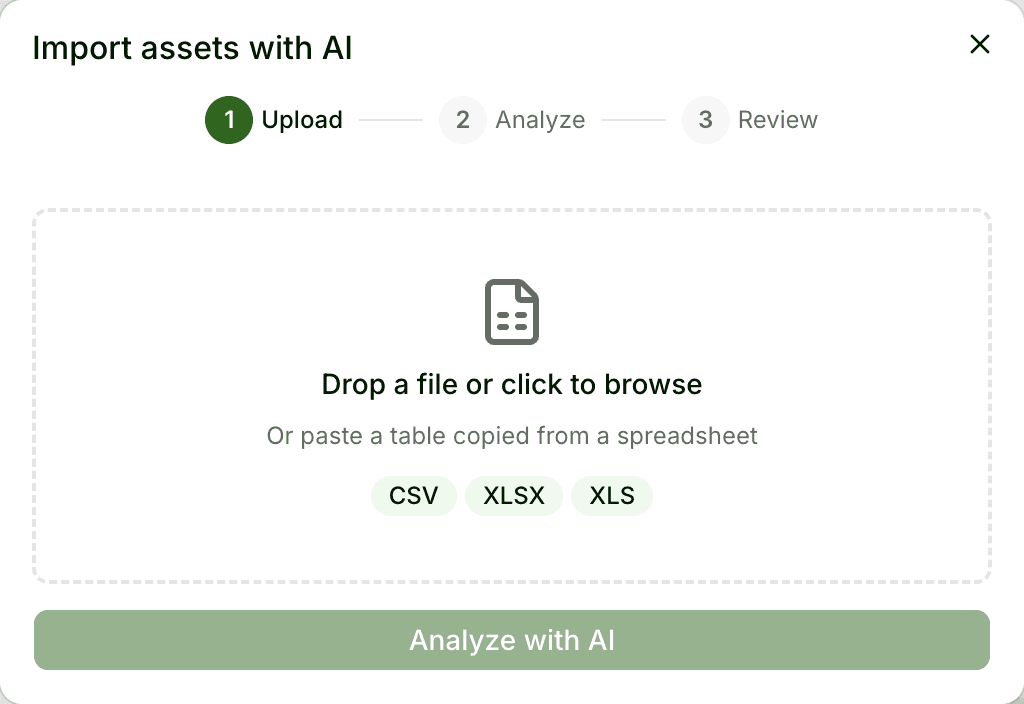
Upload it as it is
A CSV, an Excel file, or a range pasted straight out of your spreadsheet. Headers in any wording, in any of our four languages.
The AI reads and cleans it
It works out which column is a name, a category, a location, a serial or a value — no mapping screens. If something is genuinely ambiguous, it asks you one short question rather than guessing.
Review before anything is created
You see every asset it proposes, and every fix it made, laid out for checking. Nothing is written to your inventory until you confirm.
Changed your mind? Undo the lot
A whole import can be reversed in one step, so a first run is never a decision you are stuck with.
Up to 2,000 rows per import. Available to admins, and repeatable — use it again whenever a batch of new gear arrives, not just on day one.
What you own, where it is, who has it
One list for everything the company owns and keeps — cameras and lights, desks and monitors, sample cases and trade-fair kit. Each item gets a readable ID, a home, and a history.
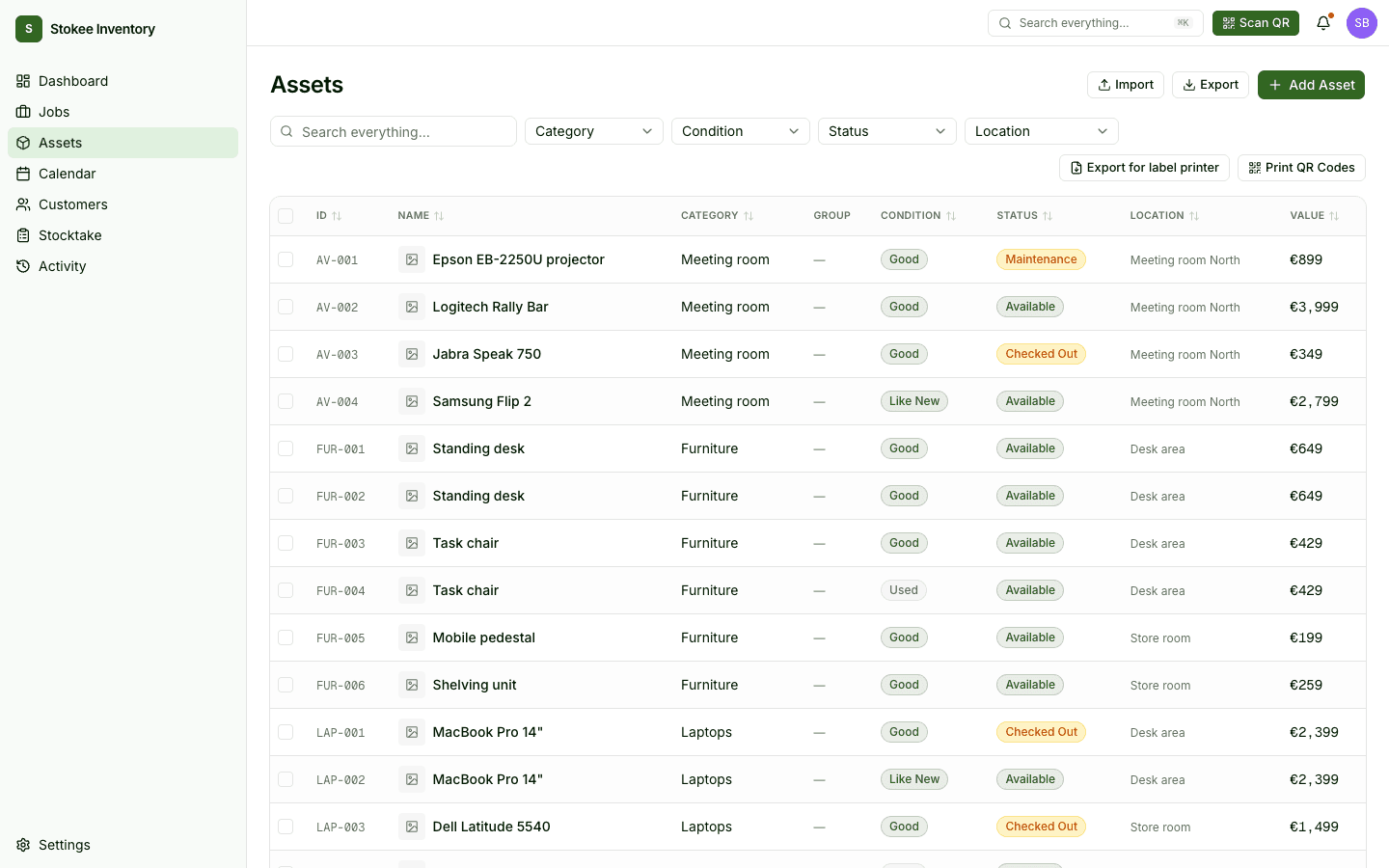
Readable IDs
Every asset gets an ID like CAM-001 from its category, minted automatically so two people never invent the same one.
Locations that nest
Buildings, rooms, shelves, vehicles. Fixed or mobile, as deep as you need — and never capped by your plan.
Categories and custom fields
Group how your team actually thinks, and record the details that matter to you: serials, values, warranty, whatever else.
QR labels
Print a sheet or send them to a thermal label printer, then scan an item to pull up its record.
Search across everything
One search box over assets, locations, customers and jobs — reachable from anywhere with ⌘K.
Roles that fit a small team
Owner, admin, manager, user, viewer. Enough control to be safe, not so much that it becomes a second job.
Label it, scan it, check it back in
- 01
Label everything once
Generate QR codes for your assets and print them as a sheet or straight to a label printer. From then on, an item identifies itself.
- 02
Scan it out
Scan an asset to check it out, on a phone, with a packing list to work through so nothing is left on the shelf.
- 03
Scan it back in
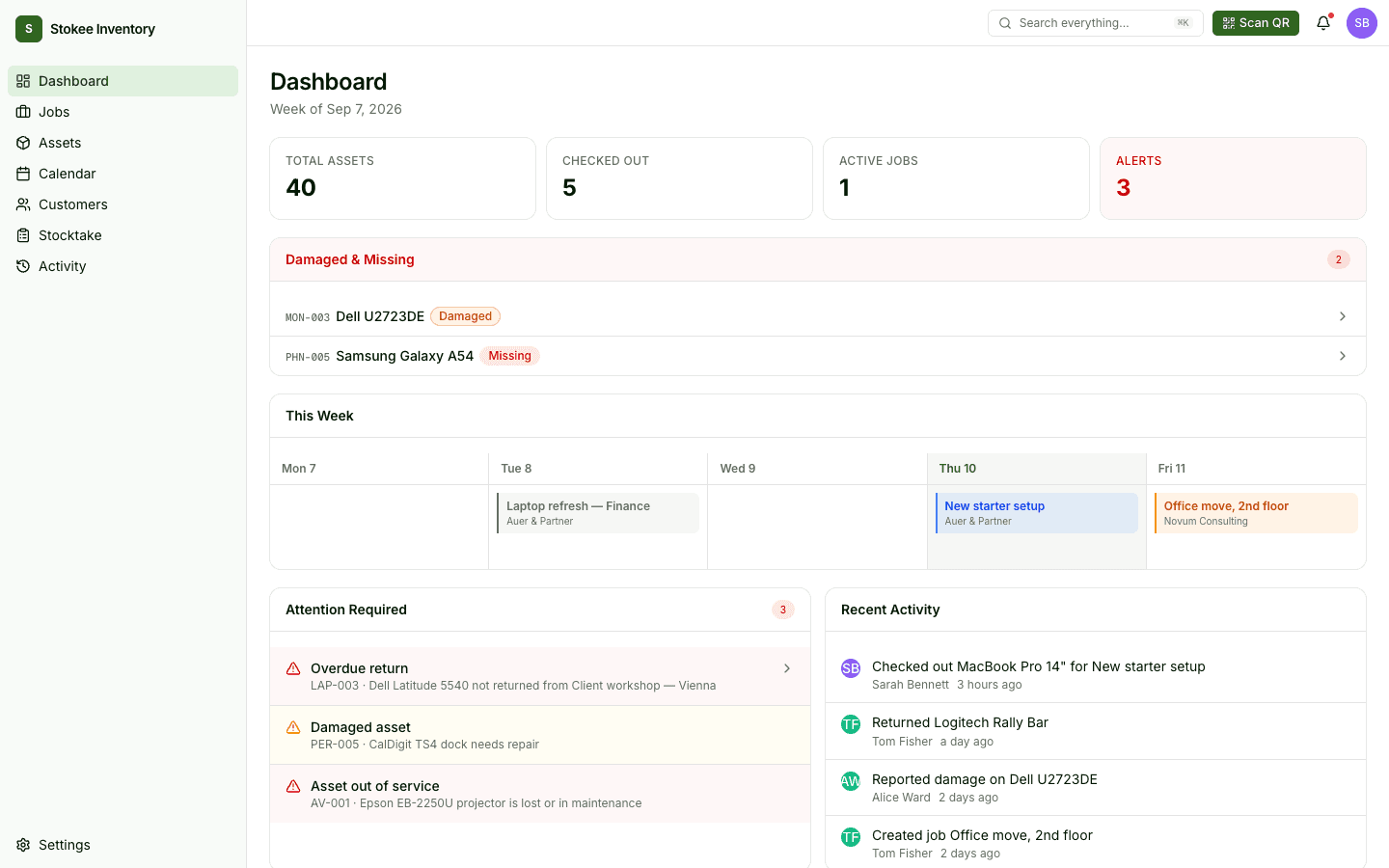
Check gear in on return and record the condition it came back in. Damage and overdue items surface on the dashboard instead of in someone's memory.
Count everything once a year, without the clipboard
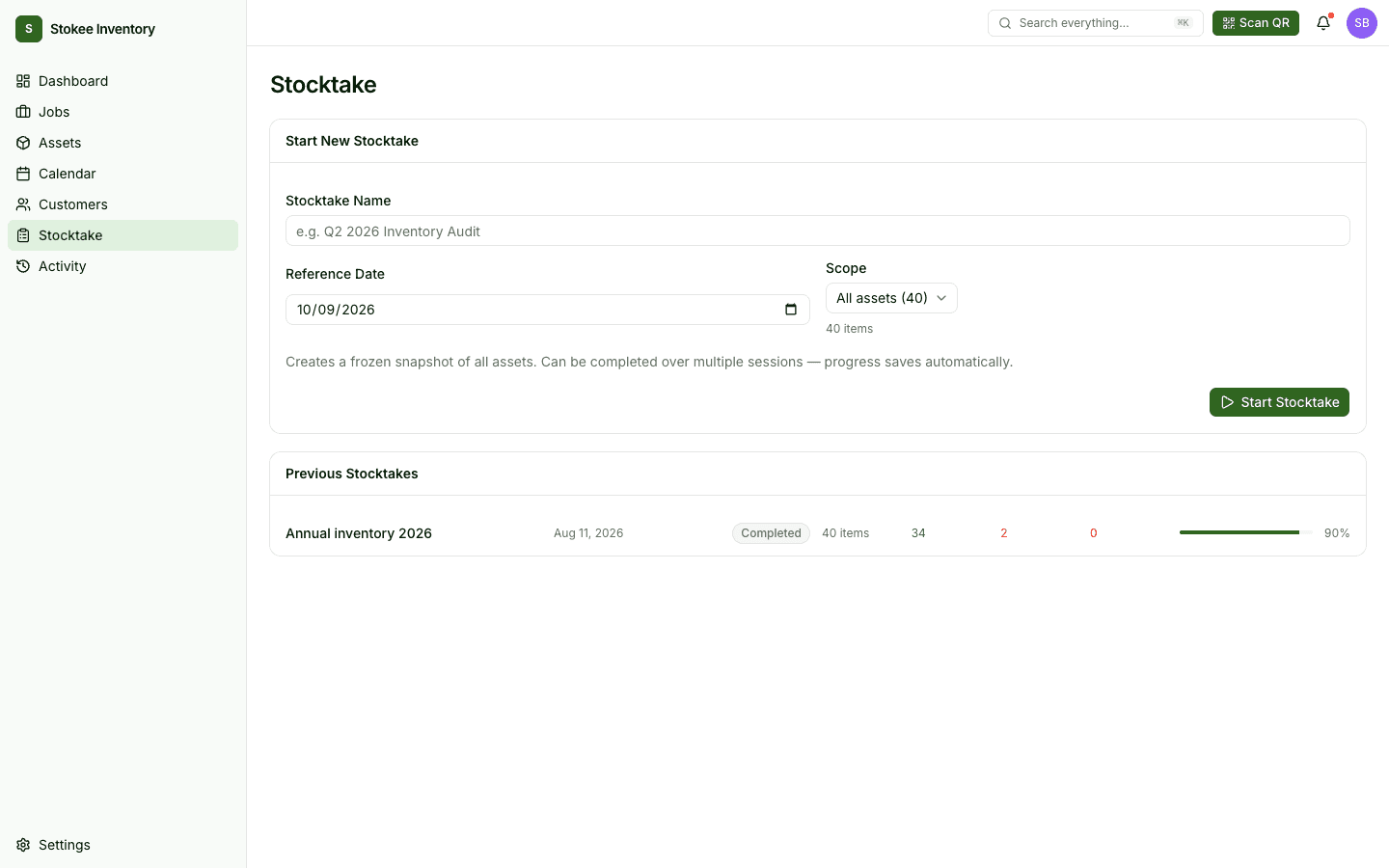
Stocktake freezes a snapshot of every asset, then you walk the building and tick things off. Progress saves as you go, so it can span several sessions and several people.
- A frozen snapshot, so the count is not disturbed by everyday movements.
- Scan or tick items off; progress is saved automatically as you work.
- Scope it to everything, or to one location or category at a time.
- Export the result for your bookkeeper when the count closes.
Condition, damage and a full history
A register is only worth keeping if it still matches reality in six months. Every movement is recorded, and the things that need attention come to you.
- Every movement is logged
- Who took what, when it went out, when it came back. The history sits on the asset, not in someone's memory or a chat thread.
- Condition captured on return
- Record the state gear came back in and flag damage at the moment it is noticed, while it is still obvious who had it.
- What needs attention, up front
- Overdue returns, damaged items and anything out of service surface on the dashboard instead of waiting to be discovered.
 StokeeDashboard
If you own it and it comes back, it belongs here
Stokee Inventory started with production gear, but the register does not care what the thing is. A category, a location and an ID work the same for a tripod, a monitor or a sample case.
Production studios
Cameras, lenses, lighting, audio and grip going out on shoots and coming back — often with a crew and a deadline attached.
Cameras · lenses · lighting · audio
Office and IT equipment
Laptops, monitors, phones and furniture issued to people rather than jobs. Know who has what, and get it back when they leave.
Laptops · monitors · phones · desks
Showrooms and sample libraries
Sample cases, display pieces and trade-fair kit that circulate between clients, showrooms and events.
Sample sets · displays · fair stands
Book gear against a job, not a guess
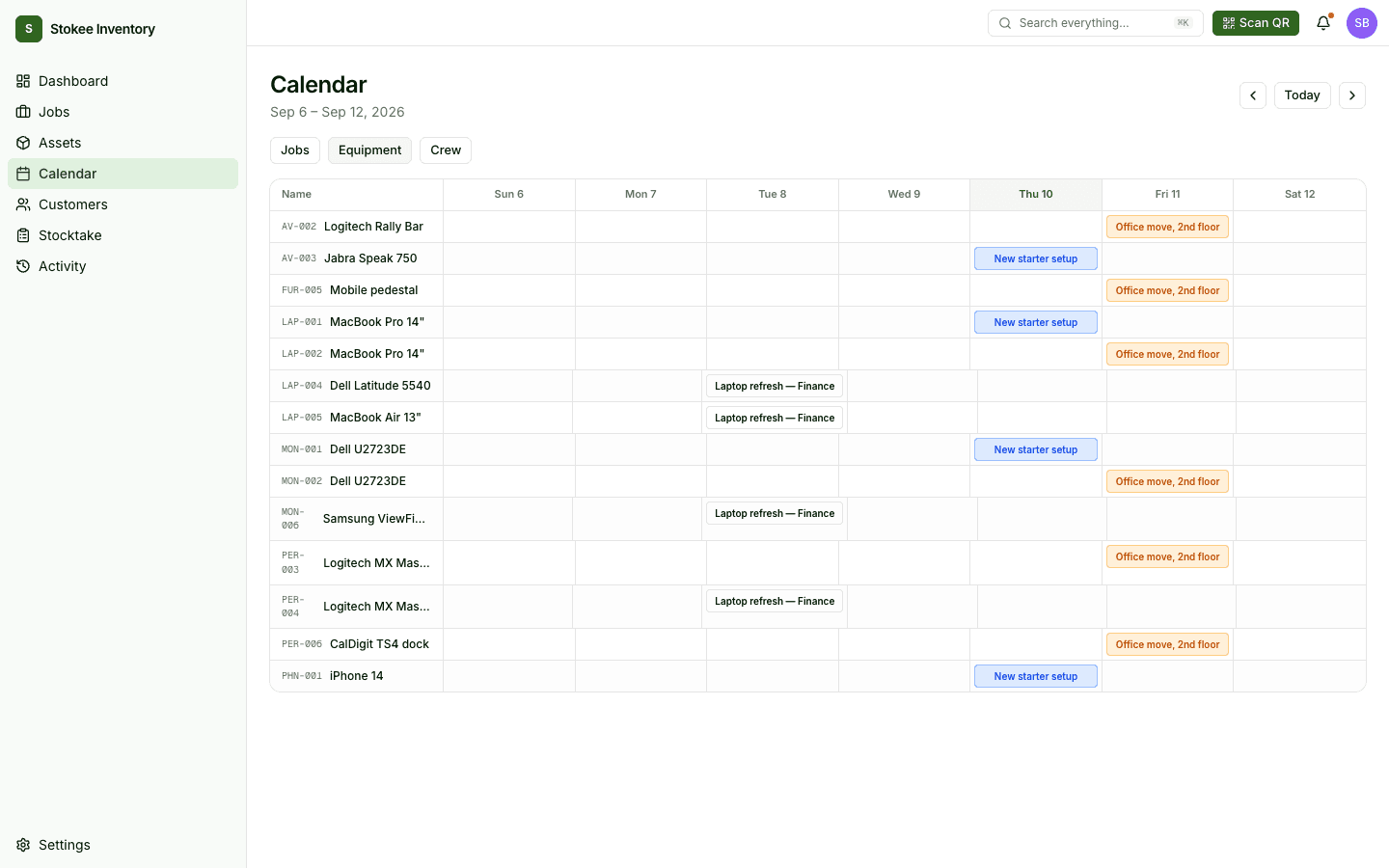
Reserve equipment for a specific job, assign the crew, and see the week as jobs, as equipment, or as people. A booking that overlaps something already committed is blocked when you make it.
Included on every plan at no extra cost — and easy to ignore entirely if you only want a register.
Reserve against a job
Equipment is committed to a specific job for a specific window, not just marked 'out'.
Overlaps are blocked
Items already committed are greyed out in the picker, and a clashing booking is refused when you try to save it.
Three ways to read the week
Jobs, equipment or crew. One dataset, three questions: what is happening, what is committed, who is out.
Pack it out, check it back
Packing lists, QR checkout and condition on return, so a job closes properly instead of trailing off.
Every feature on every plan
Plans differ by how much you track, never by what you can do — and never by how many people you add. Prices in EUR, excluding VAT.
Free
A real starting point for a small team, not a countdown to a paywall.
Pro
For a growing team that has outgrown the free caps and wants the whole crew in.
Cancel anytime.
Enterprise
For larger inventories or anything that needs to be arranged rather than self-served.
Arranged with us, billed by agreement.
Questions we actually get asked
If something here is not covered, ask us — a real person answers.
Still not sure?
Tell us what you keep track of today and we will tell you honestly whether Stokee Inventory fits.
Rather see it than read about it?
Tell us what you keep track of today and we will walk you through Stokee Inventory with your kind of gear in it — no slides, no sales script.
- About 30 minutes, on a call, at a time that suits you.
- We answer honestly if it is not a fit — we would rather tell you now.
- Bring your current spreadsheet and we will import it live.
Start with the spreadsheet you already have
Create an account, drop in your file, and see your inventory in Stokee before you decide anything. The free plan does not ask for a card.
StokeeDashboard